Updated 21 September 2026
Your tasks, in every tool you already use
What it is
Taskr has a token-authenticated REST API v1 that reaches the same data the app shows — workspaces, lists, tasks, notes, tracked time, statistics and stored files — under the same rules. Two doors into the same surface: if you write the automation yourself, the API gives you all of it, and if an AI assistant is the one doing the work, the MCP server exposes exactly that surface as tools. It is a Premium Plus and Team feature: free and Premium accounts do not have API access.
When you would use it
A deploy script that opens a task when the build fails. A weekly cron that creates the invoicing task on the first of the month. Or an AI assistant that closes off the day by reading the board and ticking what is done, instead of you retyping it. The reason to do it through an API rather than through the interface is that all three of those happen when nobody is looking at a screen.
How it works in Taskr
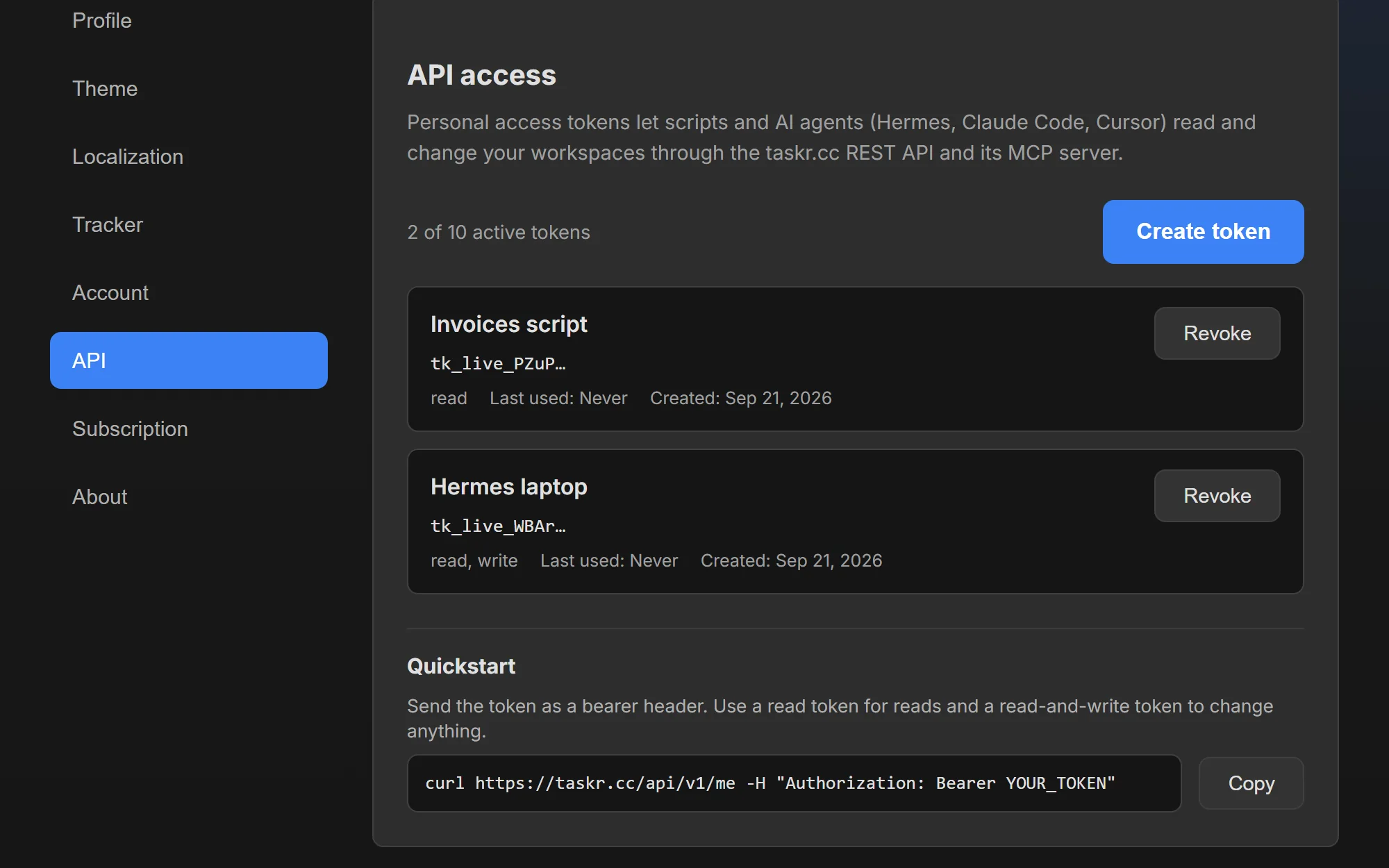
- Create a token in Settings → API. Give it a name you will recognise later (say
deploy-scriptorHermes), pick a scope — Read only or Read and write — and decide whether it expires (never, or after 30, 90 or 365 days). - Copy the token immediately. The plaintext is shown exactly once, in the confirmation dialog. Only a hash is stored, and the list shows just the prefix — if you lose it, revoke it and make another one.
- Call the API at
https://taskr.cc/api/v1withAuthorization: Bearer tk_live_…. The catalog of what exists is atGET /_tools, andGET /metells a script who it is working as. - Expect the app's own rules to apply. Permissions, plan gates and limits are enforced on the server, so a token with too little scope gets a refusal rather than a smaller result.
- Point an AI assistant at the hosted MCP server. Add
https://taskr.cc/api/mcpand your token — nothing to install, no Node, no build step. The endpoint reads the tool catalog from the same registry the API uses, so what the assistant can do matches the API exactly.
// Claude Code / Cursor / Hermes — hosted HTTP transport, the same token as the API
{
  "mcpServers": {
    "taskr": {
      "type": "http",
      "url": "https://taskr.cc/api/mcp",
      "headers": { "Authorization": "Bearer tk_live_…" }
    }
  }
}
A local stdio server (mcp/ in the repository, @taskr/mcp) covers the case where the client has to
run the server itself; it needs Node 20 or newer, a build step and the same token.
What to watch out for
Hosted means no install, not no token. The MCP endpoint is the same Premium Plus and Team feature
as the API and authenticates nothing new: it takes the same tk_live_… token, so a read-only token
cannot write anything through it either. The stdio server in the repository (@taskr/mcp) is still
private and not on npm — that path is for local development, needs Node 20 or newer, and reads the
tool catalog once at startup, so a newly added API endpoint needs a client restart there. The hosted
endpoint reads the registry on every request and needs no restart. Other limits worth knowing before
you write the script: 10 usable tokens per
account (revoked and expired ones stop counting), an unverified email blocks writes, revoking takes
effect on the very next request with no cache to wait out, and requests are rate limited per token
and per account. Read-only tokens genuinely cannot write anything, including starting a timer.
Where to go next
- Time tracking, whose tracked time the API can read and start
- Markdown notes, whose notes the API can write
- Reference: the Taskr API guide — the token walkthrough, every endpoint and the limits
Create a free account and see whether the API fits your plan when you need it.
Ready when you are.
Create a free account