Updated 21 September 2026
Work, study and home — separated, not mixed
What it is
A workspace is the container everything else sits in: its own lists, its own notes, its own statistics, its own members and its own settings. Two workspaces have nothing in common except the account that owns them, which is exactly the point — the client board cannot be accidentally reviewed in front of family, and the shopping list does not sit under the same search as the proposal.
When you would use it
Freelancers usually split by client: one workspace per engagement, closed when the work ends. Other people split by area of life: Work, Home, and a third for a course they are taking. Whichever way it is drawn, it should follow how the work is reviewed — if two streams have different deadlines, different people or different statistics, they belong in different workspaces.
How it works in Taskr
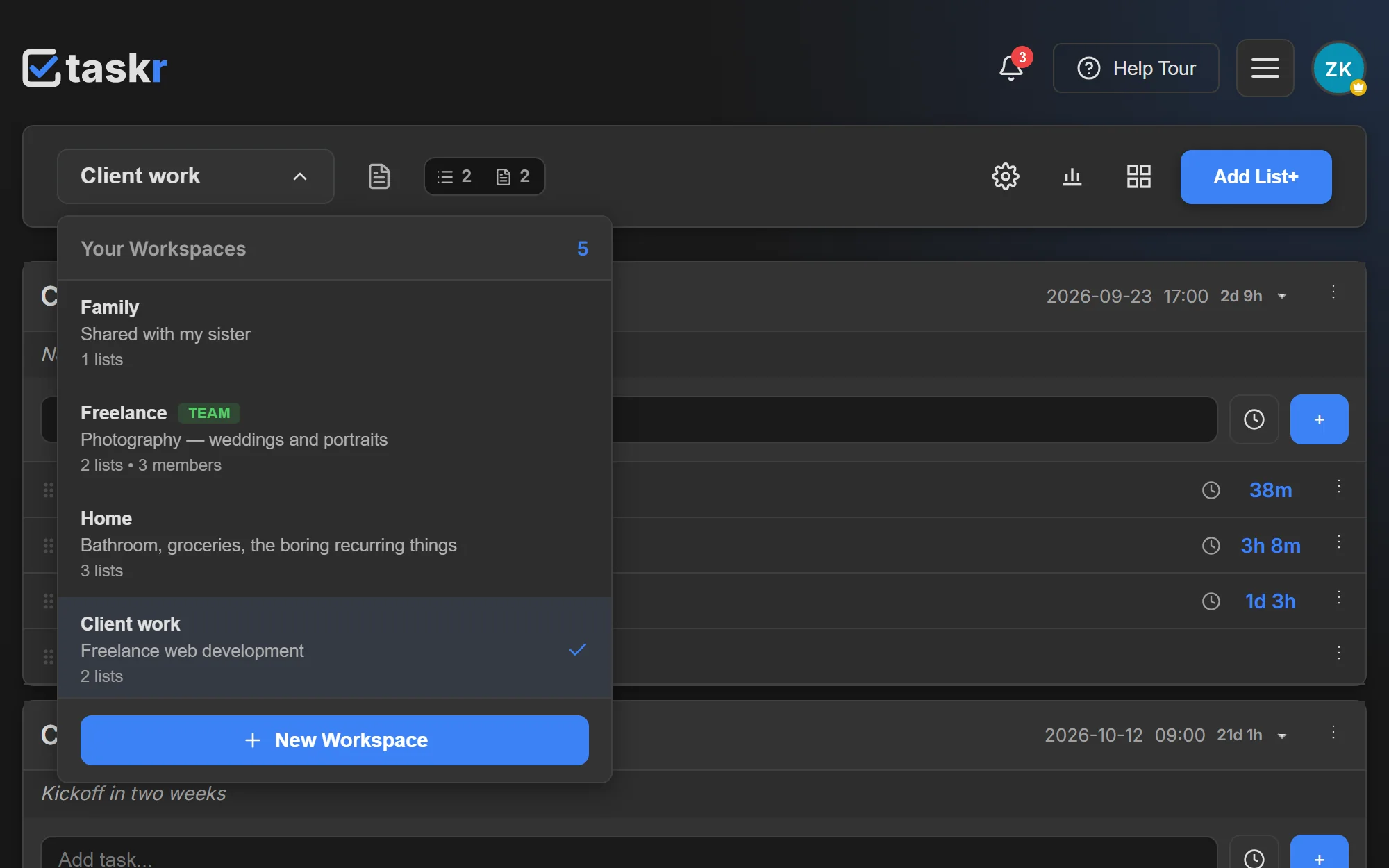
- Switch from the workspace selector at the top left of the board. It opens over the current board and lists every workspace you can reach, with its list count and its members; the current one is marked.
- Create another one from the button at the bottom of the same selector. The new workspace starts empty and gets its own lists, notes and statistics, so nothing you already have is disturbed; the button greys out once your plan's workspace allowance is used.
- Everything is scoped to the workspace you are in. The counters, the statistics pages, the activity and the notes belong to that workspace alone — a search or a filter never crosses into the next one.
- Keep a client's work in its own workspace when the material is confidential, and use lists inside one workspace when it is simply a different phase of the same job.
- Invite people per workspace. On Team, membership is per workspace, so the same person can be an editor on one board and have no access to the next one at all.
What to watch out for
The free plan includes one workspace; Premium allows three, and Premium Plus and Team are unlimited. The limits inside a workspace — how many lists, tasks and notes it may hold — are enforced against the plan of the workspace owner, not of the person looking at it. So a collaborator on a free account still works without limits inside a paid owner's workspace, and a paid account does not lift the limits of a free owner's board. Being invited into somebody else's workspace never counts against your own workspace allowance.
Where to go next
- Team collaboration, for roles and seats inside a shared workspace
- Drag-and-drop task lists, for what a workspace's board can do
- Guides: browse the Taskr guides
Create a free account and put the next project in a workspace of its own.
Ready when you are.
Create a free account