Updated 21 September 2026
Share the board without handing over the keys
What it is
Collaboration in Taskr is workspace-level: you invite a person into a workspace and give them a role, and the role decides what they can change on the whole board. There is no per-task sharing and no link that quietly grants edit rights — access is a membership row on the server, checked on every request. It is a Team feature; free, Premium and Premium Plus accounts are single-user plans.
When you would use it
You are running a small renovation and the electrician should tick off his own items without touching your budget list. Or you are a two-person studio and the second person needs to update the client board, while the accountant gets read access to the invoicing list and nothing else. The distinction that matters is not "who can see the workspace" but "who can change this particular thing", and that is what the roles are for.
How it works in Taskr
-
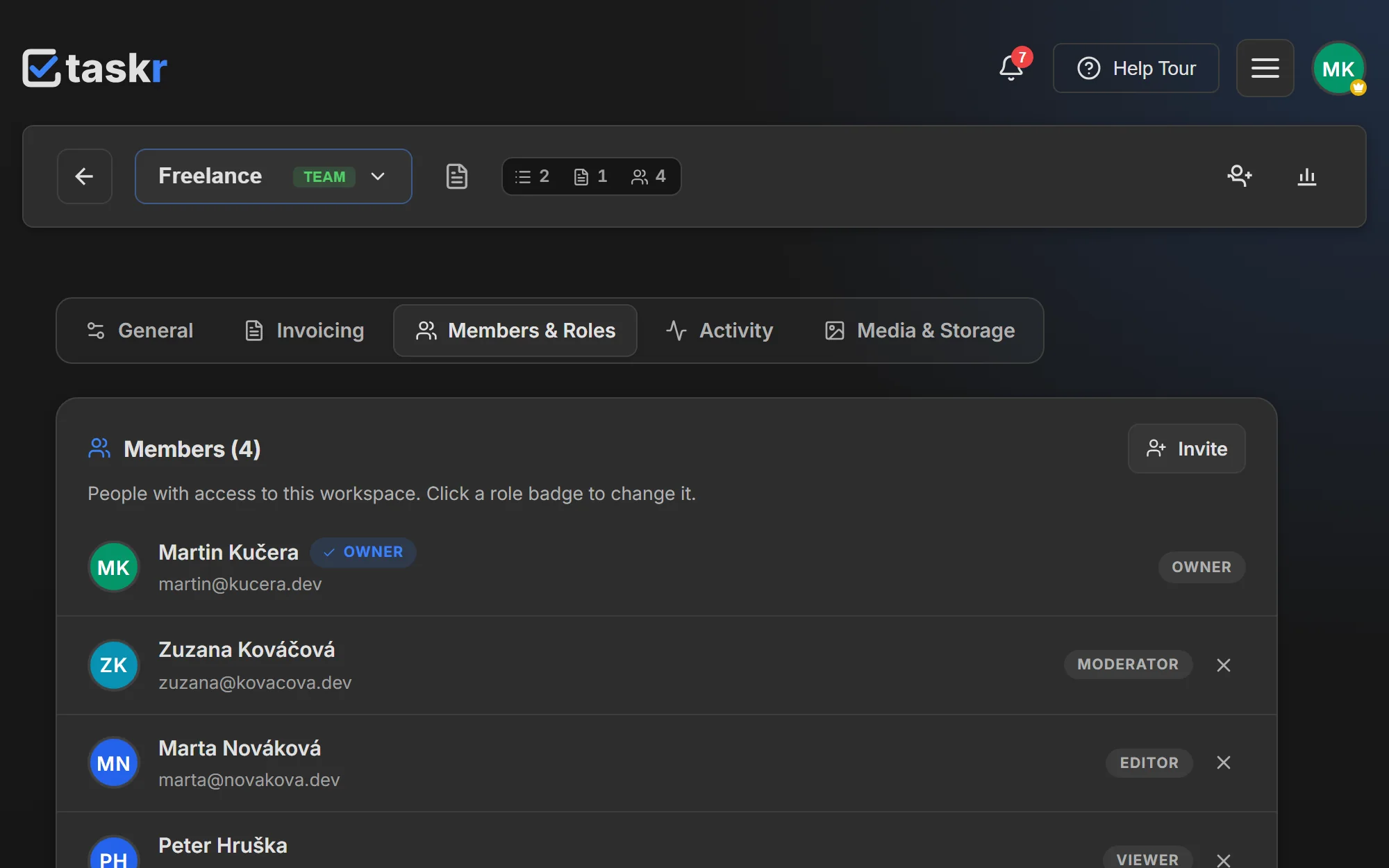
Invite by email from the workspace's member panel, picking a role for the person. The invitation is a link with a lifetime (7 days by default, configurable up to 30) and can be revoked before it is used.
-
The invitee accepts once and lands in the workspace with the role you chose. Adding or removing members, and changing a role, is owner-only.
-
The four roles are:
- Viewer — reads the board and the notes. Cannot add, edit or reorder anything.
- Editor — adds, edits and completes tasks and subtasks, and can write notes. Cannot create, rename, delete or reorder lists.
- Moderator — everything an editor can do, plus managing lists and locking or unlocking notes.
- Owner — the whole workspace: members, roles, media, deletion.
-
Work at the same time. Changes appear in everyone's board as they happen — tasks, subtasks, lists and membership are pushed live, and the member strip shows who is online right now. No refresh, no export, no "can you send me the latest version".
-
Watch the counters fall into place. The board tells you how much of the work is done, and with time tracking enabled the owner and moderators also see who tracked what.
What to watch out for
Collaboration is Team only. Team covers up to five users including you, and the seat rule is generous in one specific way: a seat belongs to a person, not to an invitation, so inviting the same collaborator into three of your workspaces still uses one seat. Permissions are enforced on the server, not just hidden in the interface — an editor who finds an endpoint for list management gets a 403, not a surprise. A viewer or editor also sees only their own tracked time in the statistics, so hours logged by other people are not visible to them.
Where to go next
- Workspaces, for what a shared workspace actually contains
- Time tracking, for the contributor breakdown owners can see
- Markdown notes, for private and locked notes inside a shared space
Create a free account and invite the first person when the work stops fitting in one head.
Ready when you are.
Create a free account